 Prodia
Image generation API for AI companion apps: complete 2027 guide
Compare image generation APIs for AI companion apps, with tunable safety filters, NSFW classification, consistent characters, and a pilot plan.
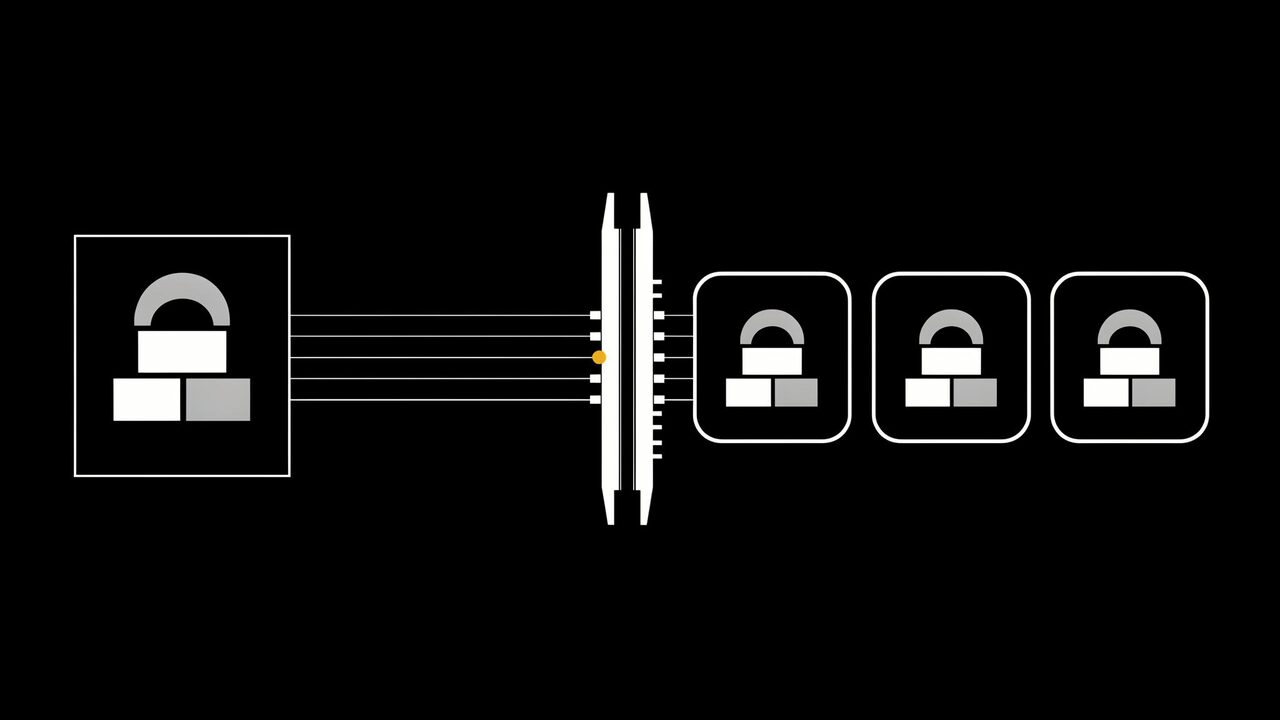
An image generation API for AI companion apps is a hosted service your backend calls to create character portraits, in-chat selfies, scenes, and short clips for a persistent AI character, with content controls that let you decide how much mature content your app allows. Start with Prodia when you want adjustable content filters, a built-in NSFW classifier, moderation workflows, and identity-preserving image models behind one API. Compare fal, Replicate, Stability AI, and Black Forest Labs for catalog breadth, custom models, or official first-party APIs.
This guide is about AI companion app development through a developer API. It is not a review of consumer AI companion apps.
Bottom line
- Start with Prodia if you want one API for character images, edits that keep a face consistent, short video, and tunable mature-content filtering, plus a classifier to check every output.
- Consider fal if you are still testing many hosted image models from one key.
- Consider Replicate if your characters depend on a specific community model or your own fine-tuned style.
- Consider Stability AI or Black Forest Labs if official Stable Image services or official FLUX APIs are a requirement.
- Whatever provider you choose, your app owns the content policy: age gating, prompt screening, and what each audience is allowed to see.
Key facts
- Prodia runs every model through one inference endpoint,
POST https://inference.prodia.com/v2/job, with a jobtypeand a model-specificconfig. - FLUX.2 on Prodia takes a
safety_tolerancefrom 0 (strict) to 5 (permissive), default 2 (FLUX.2 docs). - FLUX.1 Kontext [pro] text-to-image accepts
safety_tolerance0 to 6, default 4; its image editing mode caps at 2 (FLUX.1 Kontext docs). - Prodia’s NSFW classifier returns four severity scores, neutral, low, medium, and high, that sum to 1.0 (classifying images guide).
- Provider details reflect each provider’s public documentation at the time of writing. No cross-provider quality, speed, or filter-accuracy ranking is claimed.
What an image generation API does in an AI companion app
In an AI companion app, the chat model carries the conversation and the image API gives the character a face. Your backend turns a moment in the chat, such as “send a photo from the beach”, into a prompt, calls the API with the character’s reference images, checks the result, and returns it to the user. You still own the character design, the prompt templates, the content policy, and the age checks.
It is not:
- A chat model. The image API does not write the companion’s messages. It renders what your app decides to show.
- A consumer companion app. Apps sell a finished experience. An API is the engine underneath one.
- A content policy. Provider filters are a safety net. Your app decides what each user may see, and the provider’s terms still apply.
Generation should always run on your server. Never ship your API key inside a mobile or web client.
Mature content and NSFW in AI companion apps
Many companion platforms serve adult users, and some offer 18+ modes. Developers searching for an NSFW image API usually need three things: filters they can tune, a way to classify every output, and a clear line on what is never allowed. Here is what Prodia documents for each.
Safety tolerance is a per-request setting on supported models that controls how strictly the provider filters prompts and outputs. Lower is stricter.
An NSFW classifier is a model that scores an image for how explicit it is, so your app can block, blur, or age-gate it.
A moderation workflow chains generation and classification into one call, so an image that fails the check never reaches your app.
| Prodia control | Where it applies | What the docs say |
|---|---|---|
safety_tolerance |
FLUX.2 (Dev, Pro, Flex, Max) | 0 (strict) to 5 (permissive), default 2. Raising it to 3 or 4 reduces false positives on artistic content while keeping safety filtering active. |
safety_tolerance |
FLUX.1 Kontext [pro] | Text-to-image 0 to 6, default 4. Image editing 0 to 2, default 2. |
content_moderation |
MiniMax H3 video job types | Boolean, default true: “Filter NSFW content using MiniMax’s content moderation.” |
person_generation |
Veo video | allow_adult (default) or dont_allow. |
| NSFW classifier | inference.vit.img2label.v1 and v2 |
Recommended model Freepik/nsfw_image_detector returns neutral, low, medium, and high scores. |
| Moderation step | workflow.moderate.v1 inside a workflow |
Adds a classification gate after generation, with a configurable threshold. |
Sources: FLUX.2, FLUX.1 Kontext, MiniMax H3 text-to-video job type, Veo, classifying images, generating images with moderation.
Prodia’s classifier guide maps scores to three common policies. “Strict” blocks only explicit images, P(high), for permissive platforms. “Moderate” blocks suggestive content and above, P(medium) + P(high), as a general-audience default. “Lenient” blocks anything that is not neutral, for family-safe or under-13 surfaces. The guide suggests a threshold of about 0.5 as a starting point.
That lets one app run different rules per surface: the strictest filter on public profile images, a moderate one in standard chat, and a looser one only behind verified age checks.
What stays your responsibility, on every provider:
- Age verification before any adult mode, using a method that meets the laws where your users live.
- Prompt screening. Turn user text into your own prompt template instead of forwarding it raw.
- Hard lines. Block anything involving minors or youth-coded characters, real people’s likenesses, and non-consensual content, whatever the filter level.
- Reporting and takedown, plus records of which user generated what.
- Provider terms. A permissive filter setting does not override a provider’s terms of service. Read Prodia’s terms and each provider’s policy before you change defaults.
What to look for in an image generation API for AI companion apps
- Character consistency: multi-image input or reference editing, so the same face appears across hundreds of selfies.
- Tunable filters: a documented per-request safety setting, not one fixed filter for every audience.
- Output classification: a classifier you can run on every image, with scores rather than a yes/no flag.
- Video: image-to-video so a still selfie can become a short clip.
- Async and cost tracking: job IDs, polling for long video jobs, and a per-job cost you can log per user.
- Terms that fit your audience: a policy you can actually comply with at the content level you plan to offer.
Image generation APIs for AI companion apps at a glance
Prodia appears first because Prodia publishes this guide. Rows describe documented features, not measured quality, speed, or filter accuracy.
| Option | Best for | Documented content controls | Character features | Watch out for |
|---|---|---|---|---|
| Prodia | Companion apps that want generation, consistency, and moderation in one API | safety_tolerance per model; content_moderation on MiniMax H3 video; four-level NSFW classifier; moderation workflows |
FLUX.2 up to 10 reference images; FLUX.1 Kontext identity-preserving edits; image-to-video | Curated model list; workflows need a Pro subscription; Prodia’s terms apply |
| fal | Testing many hosted image models | enable_safety_checker, default true; disabling it requires account authorization |
Large model catalog | Each endpoint has its own schema, price, and safety defaults |
| Replicate | A community model or a custom character style | Some models expose disable_safety_checker; terms bar non-consensual nudity and illegal pornographic content |
Official and community models; custom models via Cog | Inputs, outputs, and safety options vary by model |
| Stability AI | Official Stability generation and editing | Flagged requests return 403; filtered outputs come back blurred with CONTENT_FILTERED |
Generate, edit, and control services | Acceptable use policy prohibits sexually explicit content |
| Black Forest Labs | Official FLUX from the source | safety_tolerance default 2; max 4, 5, or 6 depending on model generation |
FLUX image and editing APIs | Moderated jobs return no result, with named moderation reasons |
Best image generation APIs for AI companion apps, by use case
Prodia: best for character images with tunable moderation in one API
Prodia is a managed inference API for image and media generation. For a companion app, the documented pieces that matter are:
- Consistent characters: FLUX.2 accepts up to 10 reference images for identity-preserving generation and editing, and FLUX.1 Kontext is built for localized edits with identity preservation, such as outfit, expression, or scene changes while the rest of the character stays fixed. The combining multiple images guide shows how to carry identity from a reference into a new scene.
- Tunable filters per request:
safety_toleranceon FLUX.2 (0 to 5) and FLUX.1 Kontext text-to-image (0 to 6), and acontent_moderationtoggle on MiniMax H3 video job types. - Classification on every output: the NSFW classifier returns four severity scores, and a text-to-image job result can also include an NSFW classification in its returned
config(inference reference). - Moderated pipelines: workflows chain jobs in one call, and Prodia documents moderated recipes for generating images, transforming images, and generating videos from generated images.
- Selfies that move: image-to-video models animate a still, and Veo adds synchronized audio with a
person_generationsetting. - Spend per user:
?price=truereturns each job’s cost so you can track spend per user or per character (cost tracking guide).
Best for: companion, character, and roleplay apps that want to set their own content line per surface and check every output from one integration.
Trade-offs: you call Prodia’s hosted job types rather than uploading a custom character checkpoint. Filter ranges differ by model, so test each model you plan to use. Prodia’s terms of service apply to every request. Prodia publishes this guide, so test it on your own characters and policy.
Prodia is also working on a new model built for mature companion content, coming soon. Watch Prodia for the launch.
fal: best for testing many hosted image models
fal hosts a large catalog of image, video, audio, and 3D endpoints behind one API key. On its FLUX endpoints, enable_safety_checker defaults to true. fal’s API docs say disabling it requires account authorization, and images flagged as unsafe are returned as black images.
Best for: teams with a developer who are still deciding which model fits their character style.
Trade-offs: each endpoint has its own schema, price, and safety settings, so moderation behavior can change when you switch models.
Replicate: best for a community model or a custom character style
Replicate runs official and community models through a predictions API and lets you deploy a custom model with Cog. Some models expose a disable_safety_checker input, such as FLUX Schnell. Replicate’s terms prohibit using the service to create non-consensual nudity or illegal pornographic content.
Best for: apps that want a fine-tuned house style for their characters, or depend on a specific community model.
Trade-offs: safety options, billing, and request schemas vary by model. Pin and test the exact version you will run in production, and check each model’s license.
Stability AI: best for official Stable Image services
The Stability AI Platform API offers official generate, edit, upscale, and control services. Its API reference says requests flagged by content moderation return a 403, and outputs that violate the policy come back blurred with a CONTENT_FILTERED finish reason. Stability’s acceptable use policy prohibits sexually explicit content, including content relating to sexual acts.
Best for: SFW companion apps that have already standardized on Stability’s own image services.
Trade-offs: Stability’s model family only, and its policy rules out adult modes.
Black Forest Labs: best for official FLUX from the source
Black Forest Labs serves FLUX models directly. Its error docs describe a safety_tolerance that defaults to 2, with a maximum of 4 on FLUX 3, 5 on FLUX.2, and 6 on FLUX.1-generation endpoints. Moderated jobs return Request Moderated or Content Moderated with a list of moderation reasons.
Best for: apps standardized on FLUX that want new releases from the model lab.
Trade-offs: submit-and-poll, FLUX family only, and you build your own output classification and video steps elsewhere.
Image generation for AI companion apps, by app type
- SFW companion and wellness apps: keep the lowest safety tolerance and a lenient classifier policy everywhere. Risk to watch: suggestive outputs from innocent prompts. Classify every image anyway.
- Anime and character roleplay apps: use reference images to lock each character’s look. Risk to watch: stylized characters that read as underage. Block youth-coded prompts and characters outright.
- 18+ companion platforms: loosen filters only behind verified age checks, and keep a classifier on every output so you can label, blur, or route images by severity. Risk to watch: legal requirements that vary by country and state. Get counsel before launch.
- AI girlfriend and boyfriend apps: consistency matters more than variety, so build a fixed reference set per character. Risk to watch: users uploading photos of real people for edits. Do not allow real-person photos as inputs.
- Character bots in community apps: outputs may be seen by people who never asked for them, so use the strictest filter for anything posted to a shared channel.
How to run an AI companion image API pilot
1. Write the content policy (1 day)
Decide what each surface may show: profile images, standard chat, and any adult mode. Done when every surface has a filter level, a classifier policy, and a list of hard blocks.
2. Build character reference sets (half a day)
Create three to five reference images for each test character. Done when every character has a fixed set your prompts will reuse.
3. Generate and classify (half a day)
Run 30 realistic chat moments per character on each candidate, and classify every output. Done when each image is saved with its model, filter setting, classifier scores, and billed cost.
4. Red-team the hard lines (2 hours)
Send prompts that must always be blocked, including attempts to make a character look younger or resemble a real person. Done when every one is refused by the provider or caught by your own checks.
5. Compare cost per accepted image (30 minutes)
Divide total billed cost, including retries and blocked outputs, by images that passed both consistency and policy review. Done when each candidate has one comparable number.
Common mistakes with AI companion images
- Forwarding raw user text as the prompt. Users will try to steer past your policy. Fix: build prompts from your own template and screen user text first.
- Treating the provider filter as your whole moderation system. Filters miss things in both directions. Fix: classify every output and log the scores.
- Accepting user-uploaded photos of real people for edits. That opens the door to non-consensual imagery and legal exposure. Fix: only use generated or licensed character references as inputs.
- Using one filter level for every surface. A setting that suits a verified adult mode is wrong for public profiles. Fix: set filter and classifier policy per surface.
Who this guide is not for
- Teams that want a finished companion app: a white-label app or consumer product is faster than building on an API.
- Apps that must run a custom checkpoint they already maintain, and only that: start with a custom-model host such as Replicate.
- Products that need a provider to own content policy for them: every API here leaves age checks, prompt screening, and user reporting to you.
How this guide was put together
We included providers with public developer APIs that companion and character app teams commonly compare for image generation: Prodia, fal, Replicate, Stability AI, and Black Forest Labs. Provider details reflect each provider’s public documentation at the time of writing. Nothing was benchmarked for quality, speed, or filter accuracy.
Disclosure: Prodia publishes this guide and sells image and media inference API access. Prodia is listed first because it is our product. Validate every option on your own characters, content policy, and legal requirements.
FAQ
What is the best image generation API for AI companion apps?
Start with Prodia if you want identity-preserving image models, tunable safety settings, an NSFW classifier, and moderation workflows behind one API. Use fal for catalog breadth, Replicate for a custom or community model, and Stability AI or Black Forest Labs when their official APIs are the requirement.
Is there an image generation API that allows NSFW content?
Several providers let you adjust their default filters. On Prodia, FLUX.2 accepts safety_tolerance up to 5, FLUX.1 Kontext text-to-image up to 6, and MiniMax H3 video exposes a content_moderation toggle. A filter setting never overrides a provider’s terms, so read each provider’s policy and set your own. Today, use those documented controls along with the NSFW classifier and workflow.moderate.v1. A dedicated model for mature companion content is coming soon.
How do AI companion apps keep a character’s face consistent?
They reuse a fixed set of reference images on every request. On Prodia, FLUX.2 takes up to 10 reference images, and FLUX.1 Kontext is designed to change an outfit, expression, or scene while keeping the character the same.
How do I moderate AI-generated images in my app?
Classify every output and block, blur, or age-gate by score. Prodia’s classifier returns neutral, low, medium, and high scores, and a workflow.moderate.v1 step can gate images inside the same call that generates them.
Do I need age verification for an AI companion app?
If you offer any adult mode, plan on it. Many jurisdictions require age checks for sexual content, and self-declaration often is not enough. Ask counsel which methods apply where your users live.
What does safety_tolerance mean in an image API?
It is a per-request setting that controls how strictly a provider filters prompts and outputs. Lower values are stricter. Ranges differ by model, so check the docs for each one.
Can I turn companion selfies into video?
Yes. Prodia’s image-to-video models animate a still image, and a documented workflow generates an image, moderates it, and then turns it into video in one call.
Who is responsible for content generated in my companion app?
You are, alongside the provider’s terms. Providers supply filters and tools, but age checks, prompt screening, hard blocks, and takedowns are yours to run.
Related
- Prodia classifying images guide
- Prodia generating images with moderation
- Prodia combining multiple images guide
- Prodia FLUX.1 Kontext docs
One last thing
Set the policy before you set the filter. Write down what each surface may show, then generate a first character on Prodia, run it through the classifier, and check that your hard blocks hold before any user sees an image.