 Prodia
AI image generator API for no-code app builders: complete 2027 guide
Compare AI image generator APIs for no-code app builders and learn how to connect one in Bubble, n8n, Make, or Zapier without custom code.
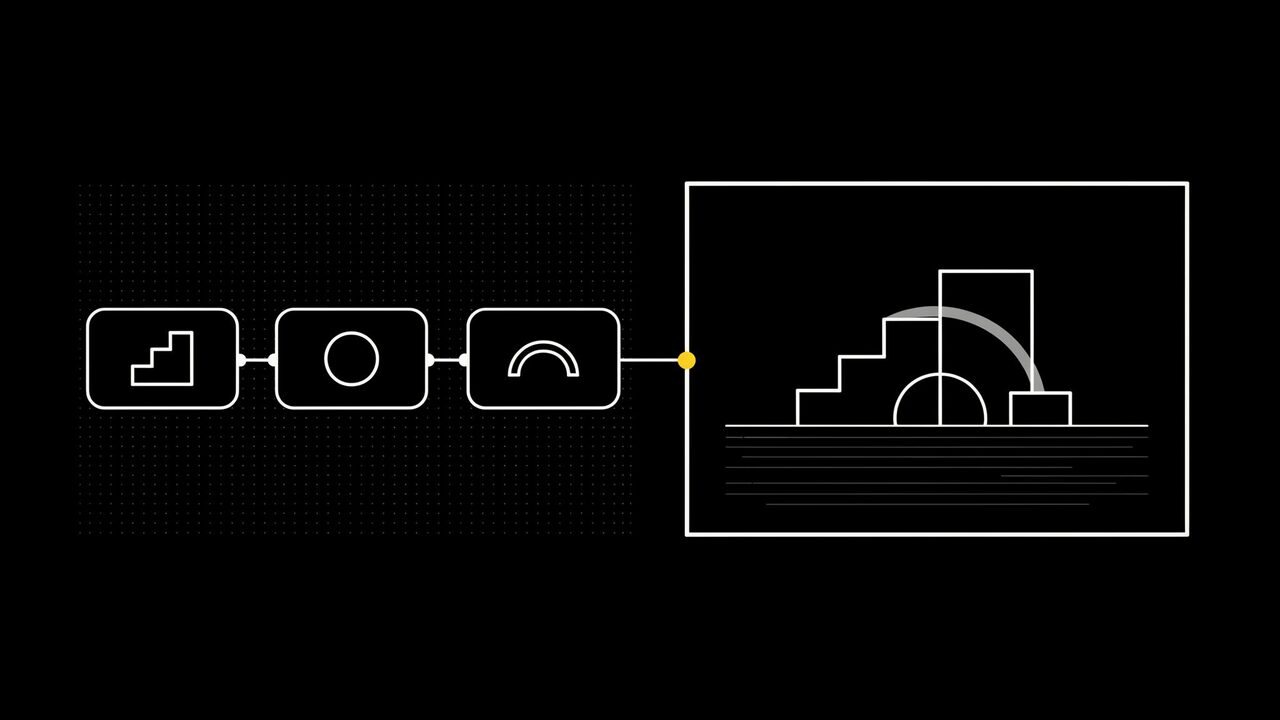
An AI image generator API for no-code app builders is a hosted service your app or automation calls over HTTP to turn a prompt into an image, using the API or HTTP request block your builder already has instead of custom code. Start with Prodia when you want many image and video models, background removal, upscaling, and per-job cost reporting behind one endpoint. Compare fal, Replicate, Stability AI, and Black Forest Labs for hosted file URLs, webhooks, or official first-party APIs.
This guide is for people adding AI images to a Bubble app, an n8n, Make, or Zapier automation, or an internal tool, and for teams building app-builder platforms that resell generation to their users. It is not a review of consumer AI image generator websites.
Bottom line
- Start with Prodia if you want one endpoint, one token, and one request format for every image and video model, plus the cost of each job returned with the result.
- Consider fal if you want a provider that publishes its own step-by-step n8n workflow guide.
- Consider Replicate if your app depends on a specific community model and you want webhooks when each prediction finishes.
- Consider Stability AI or Black Forest Labs if official Stable Image services or official FLUX APIs are a requirement.
- Test in your actual builder. The deciding question is whether your tool can send the request and save the file that comes back.
Key facts
- Prodia runs every model through one inference endpoint,
POST https://inference.prodia.com/v2/job, with a jobtypeand a model-specificconfig. - Prodia authenticates with a single
Authorization: Bearerheader, which maps to the API key or header auth fields in most no-code HTTP blocks. - The synchronous call returns the image file itself when you set
Accept: image/jpeg,image/png, orimage/webp(output formats). - Adding
?price=truereturns each job’s cost in dollars, which Prodia’s docs describe as useful for platforms that pass generation costs through to their users (job pricing). - Provider details reflect each provider’s public documentation at the time of writing. No cross-provider quality or speed ranking is claimed.
What an AI image generator API is for a no-code builder
In a no-code or low-code app, the API is the engine behind any feature that makes images: a user types a prompt, your workflow sends it to the API, and the result is saved and shown in the app. Your builder handles the screens, database, and logic. The API handles the GPUs and models.
It is not:
- A plugin that does everything for you. Most builders connect through a generic API or HTTP request block, so you still configure the URL, headers, and body once.
- File storage. Image APIs return a file or a short-lived link. Save the result in your app’s own storage if users need it later.
- A safe place for your key in the browser. Prodia’s getting started guide says to keep your token on the server and not put it in browser code. Use your builder’s private or server-side settings.
What to look for in an AI image generator API for no-code apps
- Simple authentication: one header-based key your builder can store as a private value.
- A JSON request body: text-to-image calls that need only JSON are easier to set up than multipart form uploads.
- A response your tool can handle: either the image file directly or a JSON result with a URL. Check which one your builder handles best.
- A path for slow jobs: async jobs, polling, or webhooks for video and large images, so a workflow step does not time out.
- Cost visibility: a way to see what each generation cost, especially if you charge your own users credits.
- Model choice without rework: switching models should mean changing a field, not rebuilding the integration.
AI image generator APIs for no-code app builders at a glance
Prodia appears first because Prodia publishes this guide. Rows describe documented features, not measured quality or speed.
| Option | Best for | Documented no-code-relevant features | Watch out for |
|---|---|---|---|
| Prodia | One endpoint for many image and video models | Single /v2/job endpoint; Bearer token; JSON body for text-to-image; returns the image file directly; async API with polling; ?price=true; workflows for chained jobs |
Returns files, not hosted URLs; v2 tokens and workflows need a Pro subscription; async outputs expire after one hour |
| fal | Builders who want a published n8n guide | n8n workflow guide in fal’s docs; queue with polling and webhooks; outputs stored as fal CDN files | Each model endpoint has its own schema and pricing |
| Replicate | A specific community model | Predictions API; webhooks on created, updated, and finished events | API outputs are deleted after one hour; inputs and billing vary by model |
| Stability AI | Official Stable Image services | Image file or base64 JSON response, chosen by the accept header |
Requests must be multipart/form-data, which some no-code blocks make harder to set up |
| Black Forest Labs | Official FLUX from the source | Submit-and-poll with a polling_url; result returned as a signed URL |
Signed result URLs are valid for only 10 minutes; FLUX family only |
Best AI image generator APIs for no-code app builders, by use case
Prodia: best for one endpoint across many image and video models
Prodia is a managed inference API for image and media generation. For a no-code or low-code build, the documented pieces that matter are:
- One request shape for every model. Every job goes to the same inference endpoint with a
typeand aconfig. Switching from FLUX.2 to Recraft V4, Seedream, or SDXL means changing thetypefield (image generation guide). - Easy setup in HTTP blocks. Text-to-image jobs take a JSON body and a Bearer token. Prodia’s docs include curl examples, which is useful in tools that can import a curl command.
- Files back directly. Set the
Acceptheader toimage/jpeg,image/png, orimage/webpand the response body is the image (inference reference). Ask forimage/pngwhen you need transparency (output formats guide). - Async for slow jobs.
POST /v2/job/asyncreturns a JSON job ID right away. Your workflow polls/job.state.currentuntil it readsprocessed, then downloads the output. Outputs expire after one hour (async API, currently in beta). - Image clean-up in the same API. Background removal and an upscaler that enlarges by 2, 4, or 8 times use the same endpoint.
- Chained jobs and moderation. Workflows run several jobs in one call, such as generating an image and then a
workflow.moderate.v1safety check. Workflows need a Pro subscription. - Video when you need it. The video generation guide covers Veo, Kling, Seedance, and Wan through the same API.
- Cost per job.
?price=trueadds the job’s cost to the result (job pricing), so you can log spend or charge user credits accurately.
Best for: builders and platform teams who want one integration that covers many models, plus clean-up steps and cost reporting.
Trade-offs: Prodia returns the file itself rather than a hosted link, so your builder must be able to save a file response. A v2 token requires a Pro subscription. Prodia publishes this guide, so test it in your own builder before you commit.
fal: best for builders who want a published n8n guide
fal hosts a large catalog of image, video, audio, and 3D endpoints behind one API key. Its docs include a guide to using fal within an n8n workflow with submit, status, and result steps, and its queue API supports polling and webhooks.
Best for: n8n users who want to follow a provider-written walkthrough.
Trade-offs: each endpoint has its own schema and price, so changing models can mean remapping fields.
Replicate: best for a specific community model
Replicate runs official and community models through a predictions API. You can pass a webhook URL when you create a prediction, and Replicate sends HTTP POST requests when it is created, updated, and finished. That suits automation tools with a webhook trigger.
Best for: apps built around one community model, or teams that prefer webhooks to polling.
Trade-offs: output files from API predictions are deleted after one hour, so save them right away. Inputs and billing vary by model.
Stability AI: best for official Stable Image services
The Stability AI Platform API offers official generate, upscale, edit, and control services. Its Stable Image Core endpoint returns either the image file or base64-encoded JSON, depending on the accept header.
Best for: builders who have already standardized on Stability’s own image services.
Trade-offs: the request body must be multipart/form-data, even for a text prompt, which takes more setup in some no-code HTTP blocks. Stability’s model family only.
Black Forest Labs: best for official FLUX from the source
Black Forest Labs serves FLUX models directly. You submit a request, poll the returned polling_url, and download the result from a signed URL.
Best for: builders standardized on FLUX who want new releases from the model lab.
Trade-offs: BFL’s docs say signed result URLs are valid for only 10 minutes, so your workflow must copy the file quickly. FLUX family only, with no built-in background removal or upscaling.
How to connect an image API in popular no-code tools
None of these tools needs a dedicated Prodia plugin. Each one documents a generic way to call any REST API:
- Bubble: the API Connector routes calls through Bubble’s server by default. Put your token in a field marked Private, using a secure authentication method such as a private key in the header.
- n8n: the HTTP Request node can import a curl command, so you can paste a request from Prodia’s docs. Set its Response Format to File to save the returned image.
- Make: the HTTP app’s Make a request module calls any server and supports API key authentication.
- Zapier: Webhooks by Zapier sends GET, POST, and PUT requests, plus a Custom Request option for exact headers and JSON.
- Code-light option: Prodia documents a Cloudflare Workers template that deploys a small image generation worker with your token stored as a secret. Your no-code app can then call the worker instead of holding the key itself.
AI image generation for no-code apps by use case
- Bubble and web app builders: run the call as a server-side action and save the image to your app’s file storage. Risk to watch: exposing the token in a client-side call.
- n8n, Make, and Zapier automations: trigger generation from a form, sheet, or CRM record, then send the file onward. Risk to watch: step timeouts on slow models. Use async jobs for video.
- Internal tools: give a team a prompt box that produces on-brand images. Risk to watch: no review step. Add moderation or human approval before images go public.
- App-builder platforms reselling generation: charge users credits based on real job cost. Risk to watch: guessing costs. Log the
pricefield from each result. - Product and marketing visuals: generate, remove backgrounds, and upscale in one pipeline. Risk to watch: soft edges at large sizes. Inspect at full size.
How to run a no-code image API pilot
1. Pick three real features (30 minutes)
Choose three image features your app actually needs, such as a prompt-to-image button, a product cutout, and a batch run from a spreadsheet. Done when each has a sample prompt and a target size.
2. Make one working call per provider (1 to 2 hours)
Set up the request in your builder’s HTTP or API block, with the token stored as a private value. Done when an image appears in your app or workflow from each candidate.
3. Save and display the result (1 hour)
Store the returned file or URL in your app’s storage and show it on screen. Done when the image still loads a day later.
4. Compare cost per usable image (30 minutes)
Run 20 prompts per candidate and divide total billed cost, including retries, by images you would actually ship. Done when each candidate has one comparable number.
Common mistakes when adding AI images to a no-code app
- Putting the API key in a browser-side call. Anyone can copy it and spend your credits. Fix: mark it private and run the call through your builder’s server or a small proxy.
- Expecting a URL when the API returns a file. The workflow breaks on the first run. Fix: set your HTTP block to save a file response, or choose a provider whose JSON result fits your tool.
- Letting results expire. Short-lived outputs, from one hour down to 10 minutes depending on the provider, leave broken images in your app. Fix: copy every result to your own storage right away.
- Ignoring 429 responses. Prodia returns a
429with aRetry-Afterheader when there is no idle capacity. Fix: turn on your tool’s retry setting and wait as instructed.
Who this guide is not for
- Makers who need a few images by hand: a consumer AI image generator is simpler than wiring an API.
- Teams that must run their own custom checkpoint: start with a custom-model host such as Replicate.
- Apps that must call the API straight from the browser with no server step: any provider that requires a secret key needs a server-side call or proxy first.
How this guide was put together
We included providers with public developer APIs that no-code builders and developer teams commonly compare for image generation: Prodia, fal, Replicate, Stability AI, and Black Forest Labs. No-code tool details come from each tool’s own documentation. Provider details reflect each provider’s public documentation at the time of writing. Nothing was benchmarked for quality or speed.
Disclosure: Prodia publishes this guide and sells image and media inference API access. Prodia is listed first because it is our product. Validate every option in your own builder, with your own prompts and security requirements.
FAQ
What is the best AI image generator API for no-code apps?
Start with Prodia if you want one endpoint for many image and video models, with job costs returned in the result. Use fal for its published n8n guide, Replicate for a specific community model, and Stability AI or Black Forest Labs when their official APIs are the requirement.
Can I add AI image generation to a Bubble app?
Yes. Bubble’s API Connector can call any REST API, including image generation APIs. Store the API key in a Private field and run the call server-side so the key never reaches the browser.
How do I generate images in n8n?
Add an HTTP Request node, import the provider’s curl example, and add your API key as a header. For an API that returns the image itself, such as Prodia, set the node’s Response Format to File.
Can I use an image generation API with Zapier or Make?
Yes, through their generic HTTP tools: Webhooks by Zapier, or Make’s HTTP Make a request module. Both let you set the URL, headers, and JSON body that the API expects.
Is there a free AI image generator API?
Check each provider’s current pricing page. On Prodia, creating a v2 API token requires a Pro subscription, and adding ?price=true shows exactly what each job cost.
How do I keep my API key safe in a no-code app?
Never place it in a client-side or browser call. Use your builder’s private or server-side settings, or route requests through a small proxy such as Prodia’s Cloudflare Workers template.
Can I add AI video to a no-code app too?
Yes, but video jobs take longer, so use an async API: submit the job, poll its status, then download the file. Prodia’s async API returns a job ID right away and keeps outputs available for one hour.
Related
- Prodia getting started
- Prodia image generation guide
- Prodia async API
- Prodia job pricing
- Prodia Cloudflare Workers template
One last thing
Test the whole loop, not just the first image. A call that works once can still break when a key leaks, a link expires, or a step times out. Make a first request on Prodia, save the file in your app, and reload it the next day before you ship the feature.