 Prodia
AI video generation API for advertising agencies: complete 2027 guide
Compare AI video generation APIs for advertising agencies and run a pilot that tracks cost per approved clip for pitches, animatics, and ad variants.
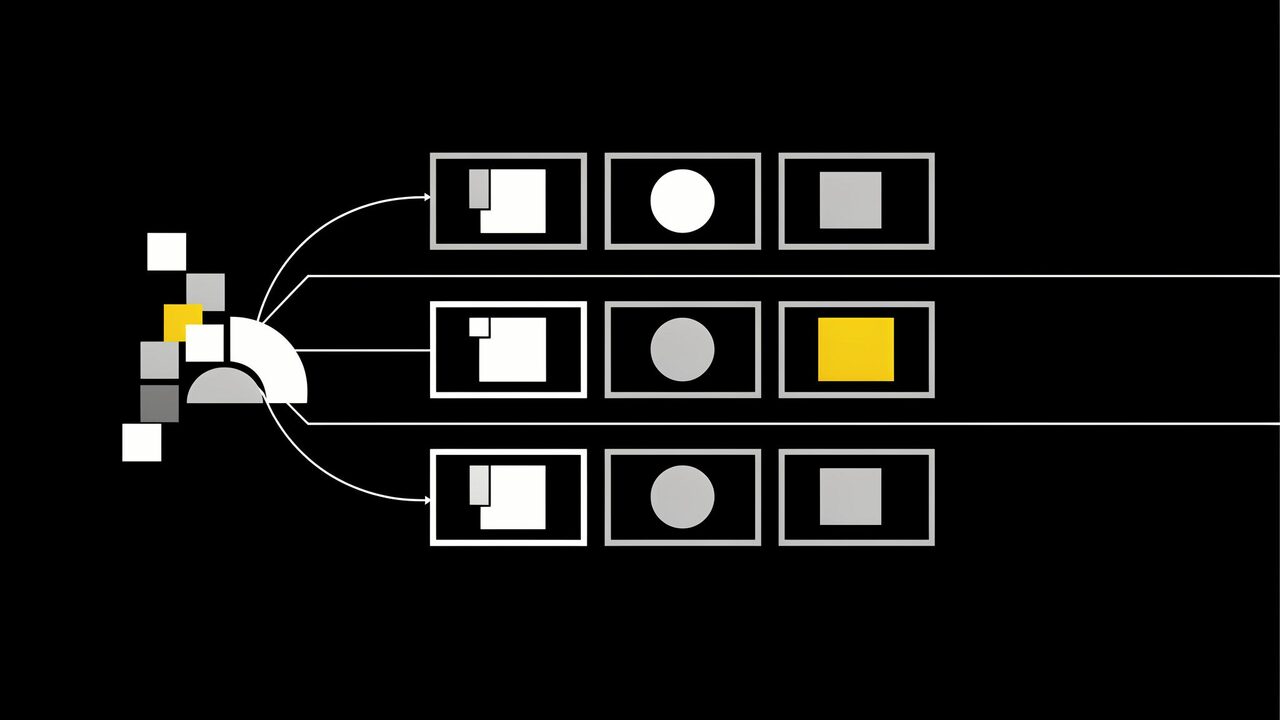
An AI video generation API for advertising agencies is a hosted service your tools call to turn briefs, storyboard frames, and product images into short video clips for pitches, animatics, and ad variants, with each job’s cost logged so it can be billed to the right client. Start with Prodia when you want low-cost clips on LTX 2.5 and MiniMax H3 Turbo, plus Veo, Kling, Wan 2.7, and Seedance, behind one API. Compare fal, Replicate, Runway, and Luma for catalog breadth, custom models, or a specific creative model.
This guide is about building an AI video ad generator into agency workflows. It is not a review of consumer video ad maker websites.
Bottom line
- Start with Prodia if your agency needs many short clips across several clients: LTX 2.5 and MiniMax H3 Turbo are inexpensive per clip, and
?price=truereturns each job’s billed cost so you can pass it through to the right client. - Consider fal if your creative technologists are still testing many hosted video models from one key.
- Consider Replicate if a project depends on a specific community model or your own fine-tune.
- Consider Runway or Luma if a client or creative director wants that company’s own model look, or you need Luma’s reframing.
- Judge clips that survive the client approval round, not demo reels. A generated clip is raw footage, not a finished ad.
Key facts
- LTX is about $0.019 and H3 Turbo about $0.073; billed prices vary by tier, duration, and canvas, so check current pricing on Prodia’s docs.
- Prodia documents LTX 2.5 clips from 1 to 10 seconds and MiniMax H3 Turbo text-, image-, and reference-to-video clips from 4 to 15 seconds (pricing docs).
- Veo on Prodia can generate a synchronized audio track and outputs 16:9 or 9:16 at up to 1080p (Veo docs).
- Adding
?price=truereturns each job’s dollar cost so you can pass it through or enforce per-token budgets (cost tracking guide). - Provider details reflect each provider’s public documentation at the time of writing. No cross-provider quality or speed ranking is claimed.
What an AI video generation API is for an ad agency
For an agency, the API is the engine behind internal tools that turn a brief into motion: animatics for a pitch, mood clips for a creative review, product stills animated into social cuts, and many variants of one concept for testing. Your team still owns the idea, the edit, the supers and legal copy, and the client sign-off.
It is not:
- A consumer AI video ad maker. A template website suits one-off ads. An API suits agencies that need repeatable jobs, per-client tracking, and their own review tools.
- A finished ad. Logos, end cards, legal lines, voiceover, and music still go on in the edit, and every clip still needs brand, legal, and placement review.
- A rights guarantee. Check each model’s terms and your client contract before generated footage runs in paid media.
Most agencies need one developer or creative technologist to connect the API to a brief form, a review queue, and the shared asset library.
What to look for in an AI video generation API for agencies
- Cost you can bill back: a per-job cost readback, not only a monthly invoice, so each client’s spend is visible.
- Model range: fast, inexpensive models for concept volume, and higher-fidelity or audio-capable models for hero clips.
- Control: image-to-video from an approved storyboard frame, reference-to-video for product consistency, and camera control for directed shots.
- Formats: 16:9, 9:16, and 1:1 outputs that match the placements in the media plan.
- Confidentiality: clear retention behavior for unreleased client briefs and product images.
- Job handling: async jobs, status checks, and a reliable way to download outputs into client folders.
AI video generation APIs for advertising agencies at a glance
Prodia appears first because Prodia publishes this guide. Rows describe documented features, not measured quality or speed.
| Option | Best for | Documented agency-relevant features | Watch out for |
|---|---|---|---|
| Prodia | Multi-client agencies producing many clips | LTX 2.5 (1–10 s) and MiniMax H3 Turbo (4–15 s); Veo with audio; Kling camera control; workflows that chain a still into a clip; ?price=true |
Curated model list; no custom weight upload; async outputs expire after one hour |
| fal | Testing many video models | Large hosted catalog; queue and webhooks | Each endpoint has its own schema and pricing |
| Replicate | Niche or custom video models | Community catalog; custom models via Cog | Billing varies by model; less-used models can cold-boot |
| Runway | Runway’s own creative models | Runway API with Runway models plus selected third-party models | Model coverage chosen by Runway |
| Luma | Luma’s Ray model and reframing | Async API for generation, editing, and video reframing | Luma models only |
Best AI video generation APIs for advertising agencies, by use case
Prodia: best for agencies producing many clips across many clients
Prodia is a managed inference API for video and image generation. For agency work, the documented pieces that matter are:
- Concept and variant volume on LTX 2.5 (
inference.ltx-2.5.fast.txt2vid.v0andimg2vid.v0, 1 to 10 seconds) and MiniMax H3 Turbo (inference.minimax.h3.turbo.txt2vid.v0,img2vid.v0, andref2vid.v0, 4 to 15 seconds). LTX is about $0.019 and H3 Turbo about $0.073, depending on tier, duration, and canvas. Reference-to-video helps keep a client’s product or character consistent across a campaign. - Hero and directed shots on other documented models: Veo with synchronized audio, a
person_generationsetting, and 16:9 or 9:16 output up to 1080p; Kling with camera presets, six adjustable camera axes, and motion masks; Wan 2.7 for 1080p clips up to 15 seconds and clip continuation; and Seedance for 1080p image-to-video. - Storyboard to motion in one call: Workflows chain jobs, so a documented pattern generates a hero frame and animates it in a single request, and a
workflow.moderate.v1step can screen a generated still before it is animated. Workflows need a Pro subscription. - Client billing and confidentiality:
?price=truereturns each job’s cost so you can log spend per client project or enforce per-token budgets (cost tracking guide). Enterprise accounts can create zero data retention tokens; on the async API, data may still be kept for up to 24 hours unless you delete the job after downloading.
Best for: agencies with a developer or creative technologist who want hundreds of clip variants across clients without per-clip costs climbing.
Trade-offs: you call Prodia’s hosted job types rather than uploading a custom checkpoint. Async outputs expire after one hour, so download into client folders promptly. Prodia publishes this guide, so test it on your own briefs and storyboards.
fal: best for testing many video models
fal hosts a large catalog of image, video, audio, and 3D endpoints behind one API key, with a queue API that supports polling, cancellation, and webhooks.
Best for: creative technology teams still choosing which video model fits a client’s look.
Trade-offs: each endpoint has its own schema and price, so compare the same model and settings when you estimate client costs.
Replicate: best for a niche or custom video model
Replicate runs official and community models through a predictions API, and lets you deploy a custom model with Cog. Webhooks and deployments are documented for production use.
Best for: agencies that need a specific community model, or a fine-tune built for one client.
Trade-offs: billing and request schemas vary by model, and less-used models can cold-boot. Pin and test the exact version you will bill against.
Runway: best when Runway’s own models are the requirement
The Runway API brings Runway’s video models, plus selected models from other labs, into apps through task-based SDKs.
Best for: creative teams or clients set on Runway’s model look.
Trade-offs: model coverage is chosen by Runway.
Luma: best for Luma’s Ray model and reframing across placements
The Luma API covers Luma’s image models and Ray video model, with video editing and reframing through one async REST surface.
Best for: agencies that like Luma’s output and need to reframe one clip for several placements.
Trade-offs: Luma models only, and every job is async.
AI video ads by agency workflow
- Pitches and animatics: start with inexpensive LTX 2.5 clips from storyboard frames so the team can show motion early. Risk to watch: a client mistaking a concept clip for the finished spot. Label it as an animatic.
- Performance and social variants: use MiniMax H3 Turbo reference-to-video to keep the product consistent while hooks, settings, and pacing change. Risk to watch: cost per approved variant, including rejects.
- Hero product clips: generate an approved still first, then animate it with image-to-video on Veo, Kling, or Seedance. Risk to watch: product details drifting between frames. Check every frame against the packshot.
- Localized cuts: generate the 9:16 and 16:9 versions you need and add translated supers in the edit. Risk to watch: text generated inside the footage, which you cannot update later.
How to run an agency video API pilot
1. Pick real briefs (1 hour)
Choose 10 briefs from at least two clients: a pitch animatic, a social variant set, and one product clip from an approved still. Write rejection rules for each, including brand and legal constraints. Done when each brief lists its placements and aspect ratios.
2. Generate variants (half a day)
Run 3 variants per brief on each candidate with matching duration and inputs. Done when every clip is saved with its model, settings, client, and billed cost.
3. Review like the client would (half a day)
Score brief fit and product accuracy, then add supers, logos, and end cards in the edit. Done when every clip is marked approved, fixable, or rejected.
4. Compare cost per approved clip, per client (30 minutes)
Divide total billed cost, including retries, by approved clips for each client. Done when each candidate has one number you could put on a client estimate.
Common agency mistakes with AI video ads
- Pooling every client’s spend on one key with no job log. You cannot bill it back accurately later. Fix: log each job’s
?price=truecost against the client project, or keep separate tokens per client. - Sending unreleased product briefs without checking retention. Fix: confirm the provider’s retention behavior first, and use zero data retention tokens and job deletion where the provider documents them.
- Baking supers and legal copy into the footage. Models can garble text, and you cannot update it per market. Fix: add all text in the edit.
- Promising usage rights before reading model terms. Fix: check model and host terms against the client contract before footage enters paid media.
Who this guide is not for
- Agencies without any developer support: use a consumer video ad maker until someone can own an integration.
- Productions that need exact talent likeness, long-form spots, or broadcast deliverables: use traditional production. Generated clips suit concepts and short-form variants.
- Teams that must run their own fine-tuned model and only that: start with a custom-model host such as Replicate.
How this guide was put together
We included providers with public developer APIs for video generation that agency and developer teams commonly compare: Prodia, fal, Replicate, Runway, and Luma. Provider details reflect each provider’s public documentation at the time of writing. Prodia prices come from its public pricing docs; check current pricing before budgeting. Nothing was benchmarked for quality or speed.
Disclosure: Prodia publishes this guide and sells video and image inference API access. Prodia is listed first because it is our product. Validate every option on your own briefs, storyboards, and client requirements.
FAQ
What is the best AI video ad generator API for advertising agencies?
Start with Prodia if you need many low-cost clips across clients, with LTX 2.5 and MiniMax H3 Turbo behind one API and a cost readback for every job. Use fal or Replicate for model breadth or custom models, and Runway or Luma when their own models are the requirement.
How much does an AI video ad clip cost on Prodia?
LTX is about $0.019 and H3 Turbo about $0.073. Billed prices depend on tier, duration, and canvas, so check current pricing on Prodia’s docs and use ?price=true to see each job’s actual cost.
Can an agency bill AI video generation costs back to clients?
Yes, if you record cost per job. On Prodia, ?price=true returns the dollar cost of each completed job, so your tool can log it against the client project and add it to the estimate or invoice.
Can AI-generated video run in paid ad campaigns?
Only after creative, brand, legal, and rights review, and only if the model’s terms, the ad platform’s policies, and your client contract allow it. A completed generation job does not mean the clip is approved.
How do agencies keep client briefs confidential when using a video API?
Read each provider’s retention policy before sending unreleased material. On Prodia, enterprise accounts can use zero data retention tokens, and async jobs can be deleted after you download the outputs, since async data may otherwise be kept for up to 24 hours.
Should an agency use a consumer AI video ad maker or an API?
Use a consumer ad maker for occasional one-off ads. Use an API when you need repeatable jobs, per-client cost tracking, your own review queue, and outputs stored in client folders.
Which Prodia video model should we use for pitch animatics?
Start with LTX 2.5 for quick, inexpensive clips from storyboard frames. Move to MiniMax H3 Turbo when you need longer clips or reference-to-video for product consistency, and to Veo when the clip needs synchronized audio.
Related
One last thing
Price the approved clip, not the generation. Clients pay for footage that survives review. Generate your first clip on Prodia from a real storyboard frame, record its cost with ?price=true, and compare cost per approved clip before you put a number on an estimate.