 Prodia
How to choose an image generation API for image quality in 2027
How to choose an image generation API for image quality: what changes output across providers, and how to run a fair blind comparison of Prodia, Black Forest Labs, Stability AI, fal and Replicate.
Image quality in an API is decided mostly by the model you call and the settings you send, not by the provider’s brand. The best image generation API for quality is the one that gives you access to the models that pass your own blind review, lets you pin the exact model version, and exposes the controls (resolution, references, guidance, upscaling) your images need. This guide shows how to judge that; it does not publish a quality ranking.
Bottom line
- Start with Prodia if you want to compare several top image models (FLUX.2, Nano Banana, Seedream, Recraft V4, SDXL) plus upscaling and face restoration behind one API.
- Consider Black Forest Labs if FLUX is your model family and you want pinned snapshots and multi-reference editing from the source.
- Consider Stability AI if Stable Diffusion 3.5, Stable Image Ultra, and task-specific edit and upscale endpoints fit your pipeline.
- Consider fal or Replicate if you need breadth: many community and niche models to test, or your own fine-tuned weights.
- Pick by blind-scoring outputs from the same prompts, not by sample galleries.
Key facts
- Prodia’s public docs list FLUX.2, FLUX.1 Kontext, Nano Banana, Seedream, Recraft V4, and SDXL, plus upscaling and face restoration jobs (Prodia docs index).
- Black Forest Labs offers preview endpoints for its latest models and fixed snapshots for reproducibility (BFL docs).
- BFL’s FLUX.2 [max], [pro], and [flex] accept up to 8 reference images; [klein] accepts up to 4 (BFL API guide).
- Stability AI describes Stable Image Ultra as its flagship service for highest quality and detail (Stability pricing).
- Provider facts checked November 9, 2026. No cross-provider quality scores are claimed.
What “image quality” means for an API
For an API buyer, image quality is the share of outputs that pass your acceptance criteria for a given task, at the size and format you ship. It breaks into five checks:
- Prompt adherence: the requested subjects, attributes, and layout are present.
- Visual integrity: anatomy, hands, edges, perspective, and reflections hold up.
- Text rendering: lettering is spelled correctly and readable.
- Consistency: repeated requests and multi-image sets keep the same subject and style.
- Delivered quality: the image still passes after your crop, compression, and upscaling.
People confuse API quality with model quality (the same model can be served by several providers), with resolution (more pixels doesn’t fix a wrong subject), and with gallery quality (curated samples hide the failure rate).
What changes image quality across providers
Model and version access
The single biggest lever is which models you can call. A provider that serves several strong model families lets you pick per task: one for photorealism, one for text in images, one for vector-style graphics. Version pinning matters too: BFL separates preview endpoints from fixed snapshots so results stay reproducible (BFL docs).
Controls you can send
Check for resolution or aspect ratio, seed, negative prompt, guidance scale, style presets, and reference images. Stability’s SD 3.5 endpoint exposes cfg_scale, negative_prompt, seed, and style_preset (Stability docs). Multi-reference inputs help keep a product or character consistent.
Editing and post-processing
Many quality problems are fixed after generation: inpainting a bad hand, upscaling for print, restoring faces. Prodia lists upscaling and face restoration jobs; Stability offers upscale, inpaint, outpaint, and search-and-replace endpoints. Chaining these in one workflow saves round trips.
Reproducibility
If you can’t reproduce an image, you can’t debug it. Record model ID or version, seed, and every parameter with each output.
Image generation APIs for image quality at a glance
The table lists documented quality-relevant features, not measured quality. Prodia appears first because Prodia publishes this guide.
| Option | Best for | Documented quality-relevant features | Watch out for |
|---|---|---|---|
| Prodia | Comparing top models plus post-processing behind one API | FLUX.2, Nano Banana, Seedream, Recraft V4, SDXL; upscaling and face restoration; workflows that chain jobs | Curated model list; no custom weights |
| Black Forest Labs | FLUX from the source | Preview and pinned snapshot endpoints; up to 8 reference images on FLUX.2 [max]/[pro]/[flex] | One model family; submit-and-poll |
| Stability AI | Stable Diffusion pipelines with fine control | Stable Image Ultra; SD 3.5 with cfg_scale, negative prompt, style presets; edit and upscale endpoints | Stability models only |
| fal | Testing many models quickly | Hundreds of hosted image, video, audio, and 3D endpoints | Each endpoint has its own schema |
| Replicate | Niche, community, or fine-tuned models | Large community catalog; fine-tuning; custom models via Cog | Cold boots on less-used models; billing varies by model |
Best image generation APIs for quality, by use case
Prodia: best for comparing top image models through one API
Prodia is a managed inference API that serves several leading image model families through one job endpoint, so you can run the same prompt set across FLUX.2, Nano Banana, Seedream, and Recraft V4 without separate integrations. Utility jobs for upscaling and face restoration, and workflows that chain jobs, let you fix and finish images in one call.
Best for: teams that want to pick the best model per task and keep switching cheap.
Trade-offs: a curated catalog rather than every community model; no bring-your-own weights. Prodia publishes this guide, so score its outputs blind like every other option.
Black Forest Labs: best for FLUX with pinned versions and references
BFL serves FLUX directly, including FLUX.2 [max], [pro], [flex], and [klein], with preview endpoints for the latest improvements and fixed snapshots for reproducible output (BFL docs).
Best for: FLUX-based products that need multi-reference consistency and new releases from the source.
Trade-offs: FLUX only; your app owns orchestration across other providers.
Stability AI: best for fine-grained Stable Diffusion control
Stability’s API offers Stable Image Ultra, the SD 3.5 family, and dedicated upscale, edit, and control endpoints (Stability docs).
Best for: pipelines that need explicit guidance, negative prompts, and task-specific editing.
Trade-offs: Stability models only.
fal: best for testing many models fast
fal hosts hundreds of media model endpoints behind one API key, which makes it easy to widen a quality bake-off.
Best for: early model exploration across many families.
Trade-offs: every endpoint has its own input and output schema to map.
Replicate: best for niche or fine-tuned models
Replicate runs community and official models, supports fine-tuning, and deploys custom models with Cog.
Best for: quality needs that only a fine-tune or niche community model can meet.
Trade-offs: less-used models can cold-boot, and billing varies by model.
How to run a fair image-quality comparison
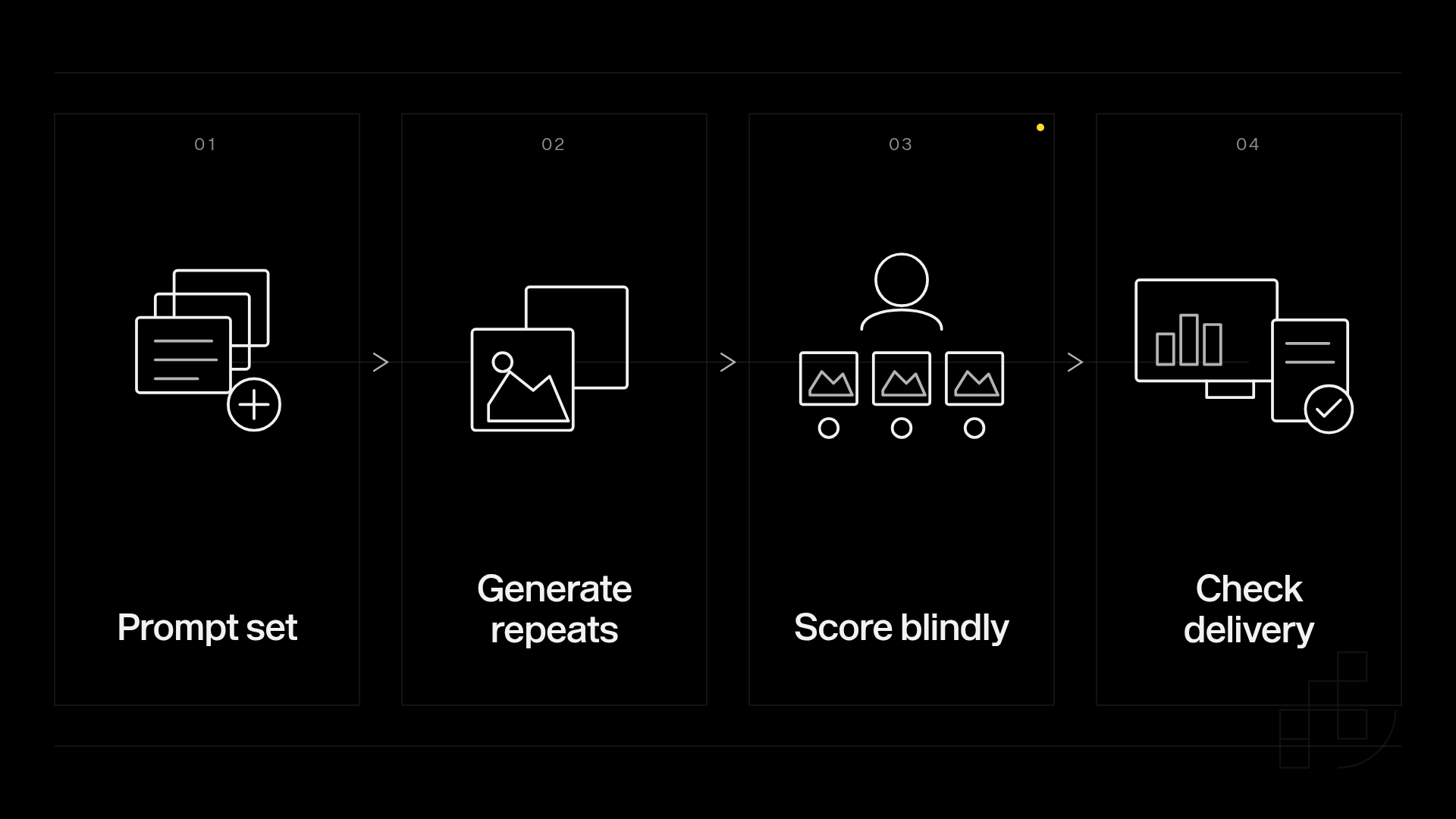
1. Build the prompt set (1 hour)
Write 20 prompts from real tasks, including hard cases: hands, text, products, multiple subjects. Done when each prompt has written pass/fail criteria.
2. Generate repeats (1 hour)
Run 3 outputs per prompt per model (60 images each) at the same size, and log model version and seed. Done when every image has its settings saved.
3. Score blind (2 hours)
Hide provider and model names. Score prompt adherence, visual integrity, text, and composition on a 1-5 scale, and mark hard failures separately. Done when two reviewers have scored every image.
4. Check delivered output (30 minutes)
Apply your real crop, compression, and upscaling, then re-check failures. Done when you have a pass rate per model at shipped size.
Common quality-evaluation mistakes
- Judging from galleries. Curated samples hide the failure rate. Fix: generate your own repeats and keep the failures.
- Tuning prompts for one model only. That favors whichever model you tuned for. Fix: keep a shared-prompt baseline and a separate optimized track.
- Not pinning versions. A silent model update changes results. Fix: pin snapshots or versions where offered and log them.
Who this guide is not for
- Teams that just need one-off images: use a consumer creative app instead of an API.
- Researchers benchmarking models academically: use public benchmark datasets and leaderboards, not a buyer’s guide.
How this guide was put together
We included providers with public developer APIs for image generation that developers commonly compare for quality: Prodia, Black Forest Labs, Stability AI, fal, and Replicate. Every claim comes from that provider’s public documentation, read on November 9, 2026. We did not score outputs, so there is no quality ranking.
Disclosure: Prodia publishes this guide and sells image and video inference API access. Prodia is listed first because it is our product, not because of a measured quality win.
FAQ
What is the best image generation API for image quality in 2027?
The best API is the one whose models pass your blind review most often for your task. Start with a provider that lets you test several strong model families, then pin the winner’s version.
Does the provider change image quality if the model is the same?
The model and settings drive most of the result. Differences come from which version is served, which parameters are exposed, and post-processing. Compare the same model and settings across providers before concluding.
Is Prodia an image model or an API platform?
Prodia is an API platform that serves several image and video models, including FLUX.2, Nano Banana, Seedream, Recraft V4, and SDXL. Evaluate the specific model you call.
How many images should I generate to compare quality?
A practical start is 20 prompts with 3 outputs each, or 60 images per candidate. Add more prompts around the failure cases that matter most to you.
Does higher resolution mean better image quality?
No. More pixels don’t fix a wrong subject, bad hands, or misspelled text. Check content first, then size.
How do I keep image quality consistent over time?
Pin model versions or snapshots where the provider offers them, store the seed and settings with every output, and re-run your prompt set when a model changes.
Can I fix quality problems after generation?
Often, yes. Upscaling, face restoration, and inpainting endpoints fix many defects without regenerating from scratch.
Related
One last thing
Keep the failures in your evaluation record. Rejected images show where you need validation, retries, or a different model. Run your prompt set on Prodia across several models in one afternoon.